
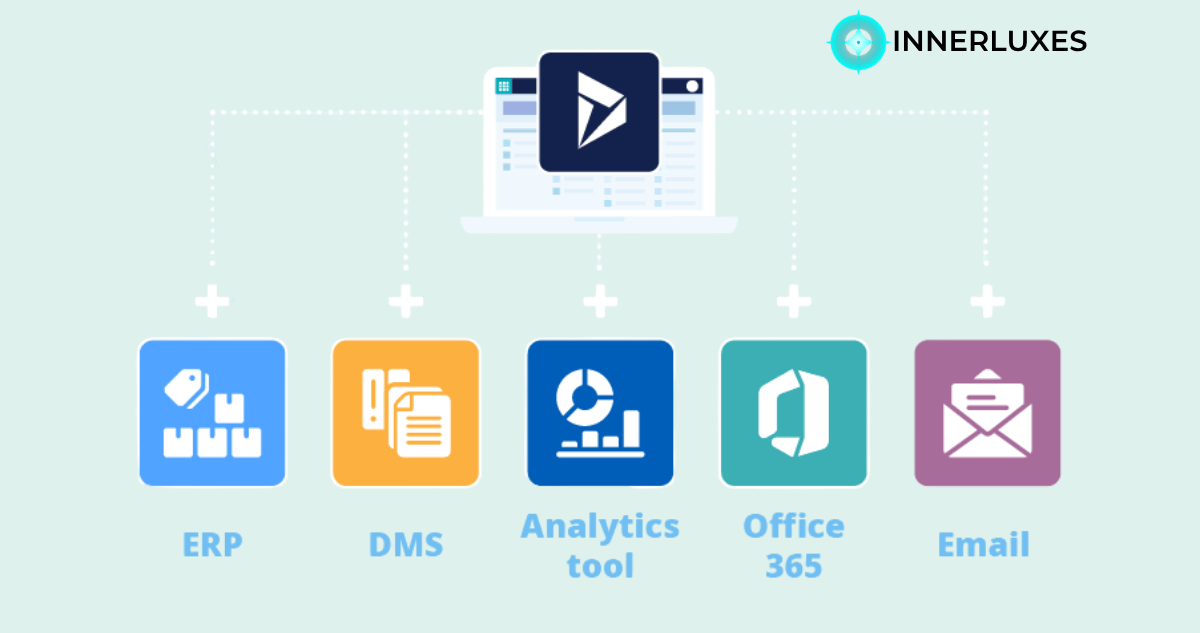
Editor’s Note: When businesses talk about growth, they often overlook how disconnected systems slow them down. From what I’ve seen, integration isn’t just technical—it’s transformational. This topic matters more than most companies realize.
Integrating systems can feel overwhelming, especially when your tools don’t “talk” to each other. That’s where microsoft dynamics crm integration steps in and changes the game. It helps you bring all your customer data, processes, and teams into one connected ecosystem.
When your CRM is fully integrated, you stop wasting time switching between tools or fixing data errors. Instead, you get a smooth flow of information that helps you make faster decisions, serve customers better, and grow with confidence.
Why Microsoft Dynamics CRM Integration Matters
When your business tools are disconnected, small problems turn into big ones. You might miss leads, lose customer history, or struggle to track performance. Integration solves these issues by connecting everything in one place.
With Microsoft Dynamics CRM integration, you create a central hub for your business operations. Sales, marketing, and customer support all work from the same data. This means fewer mistakes and better communication across teams.
You also get real-time updates. When a customer interacts with your business, every department instantly knows. That kind of visibility helps you respond faster and build stronger relationships.
Key Benefits You Will Experience
Integration is not just about connecting systems—it’s about improving how you work every day. Once everything is connected, you start seeing real benefits quickly.
- Faster access to accurate customer data across all departments
- Reduced manual work and fewer data entry errors
- Better decision-making with real-time insights
These improvements make your business more efficient and more responsive. You spend less time fixing issues and more time focusing on growth.
Common Integration Options You Can Use
There are several ways to integrate Microsoft Dynamics CRM depending on your business needs. The right choice depends on your systems, goals, and budget.
API-Based Integration
APIs allow systems to communicate directly with each other. This is one of the most flexible and powerful methods. You can connect CRM with ERP, marketing tools, or custom applications.
Middleware Solutions
Middleware acts as a bridge between different systems. It simplifies complex integrations and reduces the need for custom coding. This is useful if you have multiple platforms to connect.
Native Connectors
Microsoft offers built-in connectors for tools like email platforms and analytics software. These are easy to set up and work well for standard integration needs.
Choosing the right approach ensures your integration is smooth and scalable.
Challenges You Should Be Ready For
Integration is powerful, but it comes with challenges. Knowing them in advance helps you avoid problems later.
Data consistency is a common issue. If your systems have different formats or duplicate records, integration can become messy. Cleaning your data before integration is essential.
Another challenge is security. When systems are connected, you need to make sure your data is protected. Proper authentication and access controls are critical.
Finally, planning matters. Without a clear strategy, integration can become complex and costly. Taking time to define your goals will save you effort in the long run.
Best Practices for Successful Integration
To get the best results, you need a smart approach. Integration is not just about technology—it’s about strategy and execution.
Start by understanding your business needs. Identify which systems need to connect and what data should flow between them. This clarity will guide your decisions.
Keep things simple. Avoid overcomplicating your integration with unnecessary features. Focus on what truly adds value to your business.
Test everything before going live. This helps you catch issues early and ensures a smooth experience for your team and customers.
Finally, keep improving. Integration is not a one-time task. As your business grows, your systems should evolve too.
Frequently Asked Questions
It connects Dynamics CRM with other systems to share data and automate workflows.
It improves efficiency, reduces errors, and gives a complete view of customers.
Yes, it can connect with most ERP platforms using APIs or middleware.
Costs vary, but the long-term benefits usually outweigh the investment.
It depends on complexity, but simple integrations can take a few weeks.
Not always; many tools offer no-code or low-code options.
Yes, it benefits businesses of all sizes.
Yes, if proper security measures and access controls are implemented.
Summary
Microsoft Dynamics CRM integration helps you bring everything together in one place. It saves time, reduces errors, and improves how your teams work. When your systems are connected, your business runs smoother and grows faster. If you want better control and smarter decisions, integration is a step worth taking.
Have a question? Ask our experts!
Our team is ready to help you build something great.
Let's Talk →Explore Our Services at INNERLUXES